
How to Vote For Develop Africa Videos - Ford Focus
By voting, you are helping us raise funds for our projects in Africa. is a simple way to help us make a difference at no financial cost to you.
|
Links to videos on Facebook: |
1. Go to http://www.facebook.com/fordfocus . If you are not yet signed in to Facebook, please do so to proceed.
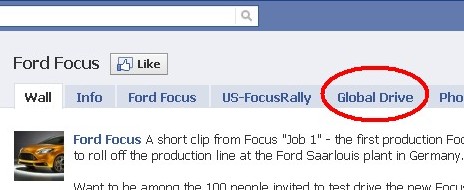
2. Then on the Global Drive tab at the top (see image below)
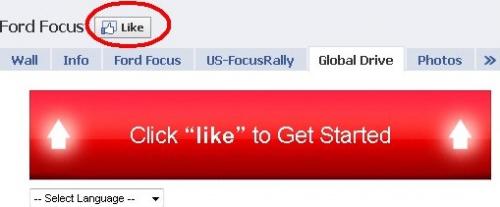
3. If requested as in screen below, click on "Like"
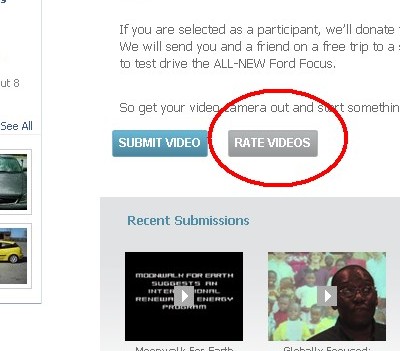
4. Scroll down and click on "Rate Videos"
Look through the list to find the following Develop Africa video.
a). Globally Focused - Empowering Girls. The photo should look like this (see image below).
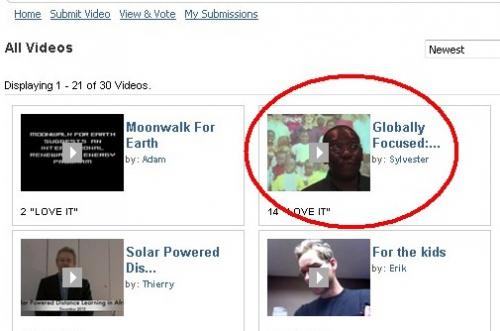
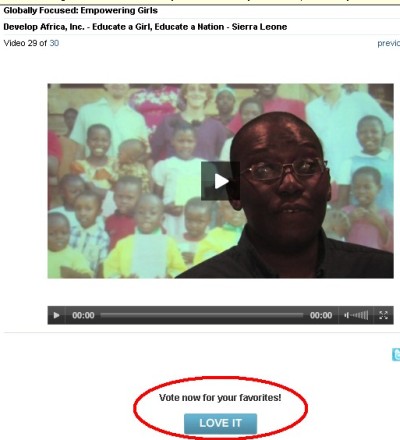
5. Click on the video thumbnail to proceed to the video page. The video page should look like image below. Click on "Love it" button. Note, you can vote once each and every day.
6. When the "request for permision" window (below) comes up, please click on "Allow"
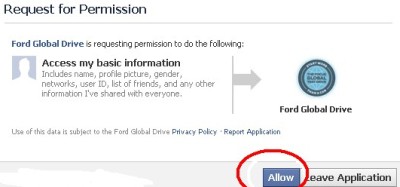
7. This will put you back on the video page, click on "Love it" one more time. This step is very important.

8. You will know your vote has been received when you can see the folllowing message: Thanks for your vote. The "Love it" button will now change to a "Next video" button as in screen below.
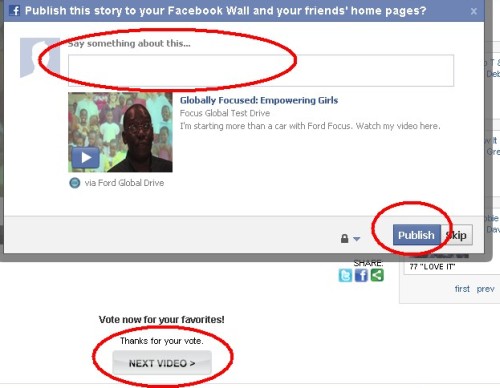
9. You optionally have the opportunity to promote this to your news feed and invite other friends to vote. We really would appreciate you doing this. Thanks.
10. The direct link to the video(s) are below. Please vote once each day. If you would like an email reminder each day please send a message to dateam - at - developafrica.org